Getting Started
mapxr is a desktop application that connects to your TAP Strap wearable keyboard via Bluetooth and remaps finger-tap combinations to keyboard shortcuts, mouse actions, and custom macros.
Prerequisites
- A TAP Strap or TapXr device
- Windows 10+ or Linux (with BlueZ)
- Bluetooth 4.0+ adapter
Installation
- Download the latest release from GitHub Releases.
- On Windows: run the
.msior.exeinstaller. - On Linux: a
.rpmand.debpackage are available.
A.AppImageis also available but may not work on all Linux distributions due to wayland gtk issues.
Pairing your TAP Strap
- Put your TAP Strap into pairing mode (ensure it is not connected to any other devices).
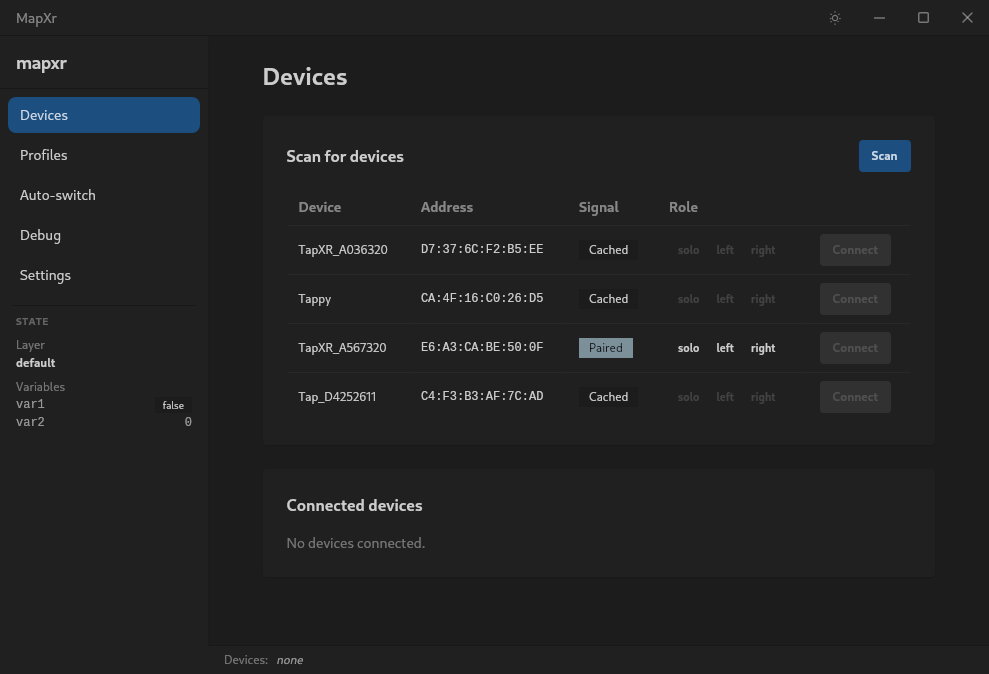
- Open MapXr in Devices and click Scan.
- Select your TAP Strap from the list, choose the role (solo if you have one tap, left or right if you have two) and click Connect.
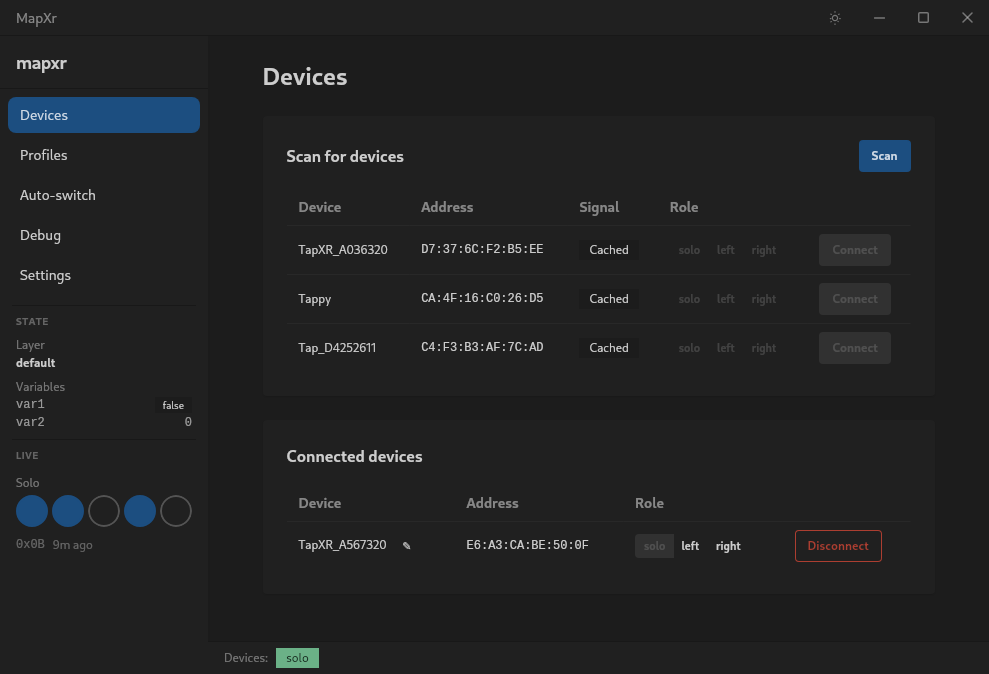
- The device will appear in the connected devices list.
Next Step
Your taps should now be registered with MapXr and visible on the left side of the window.
All that is left is to create a profile to define your tap mappings.
See the Profiles page for
the full profile JSON schema.